Mapping multiple source fields to a single target field at a nested level
Limitation – Mapping does not work properly when combining multiple source fields into a single target field within a nested or array structure. However, this functionality works as expected at the header level.
Refer to the images below for better understanding:
Mappings in Header level -
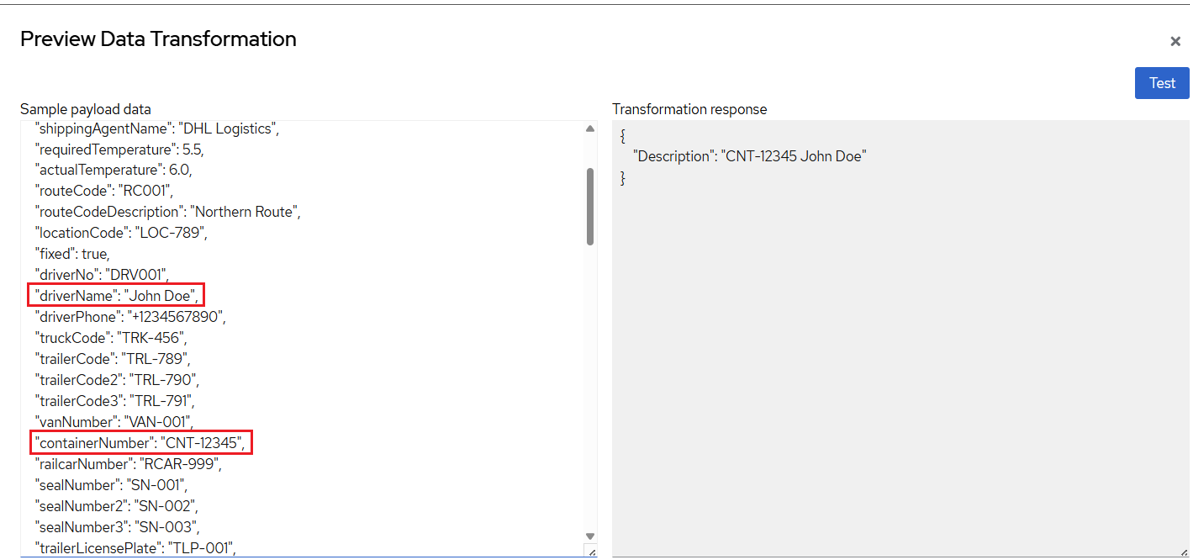
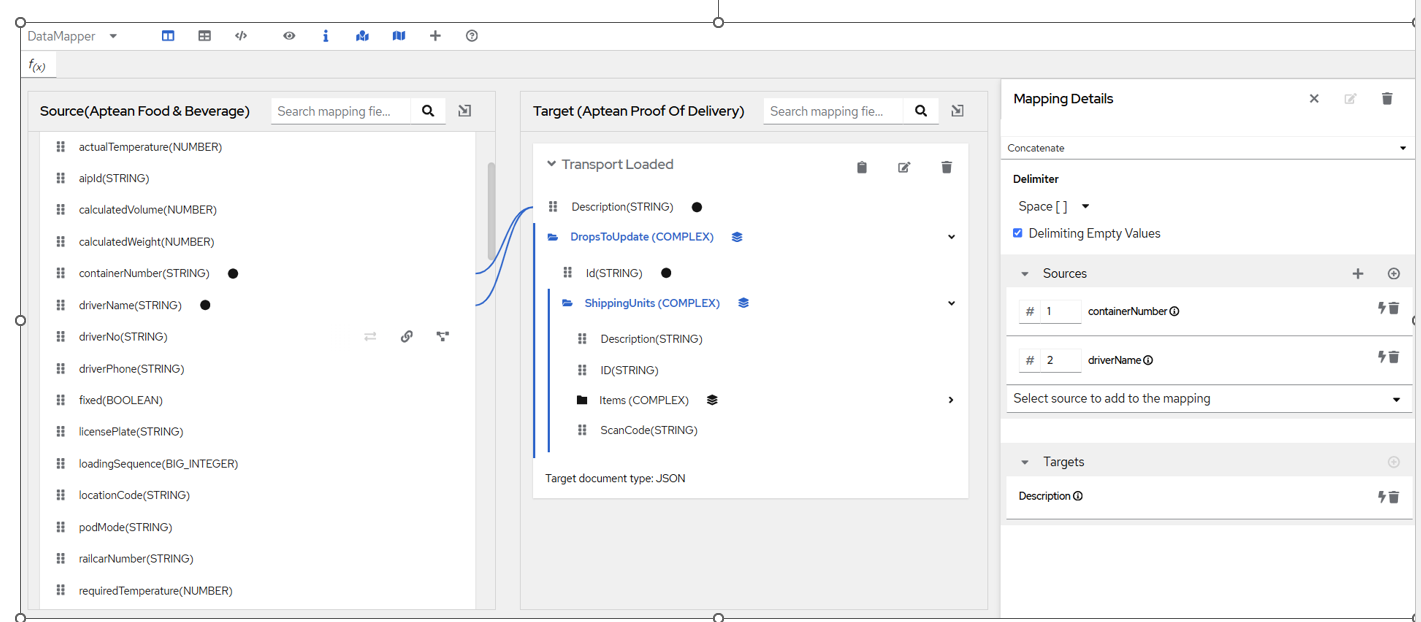 In this case, containerNumber is combined with driverName and mapped to the Description field. The Data Mapper provides options to select the operation to perform on the source fields. Below is the preview using a sample payload:
Mappings in Nested or Array level -
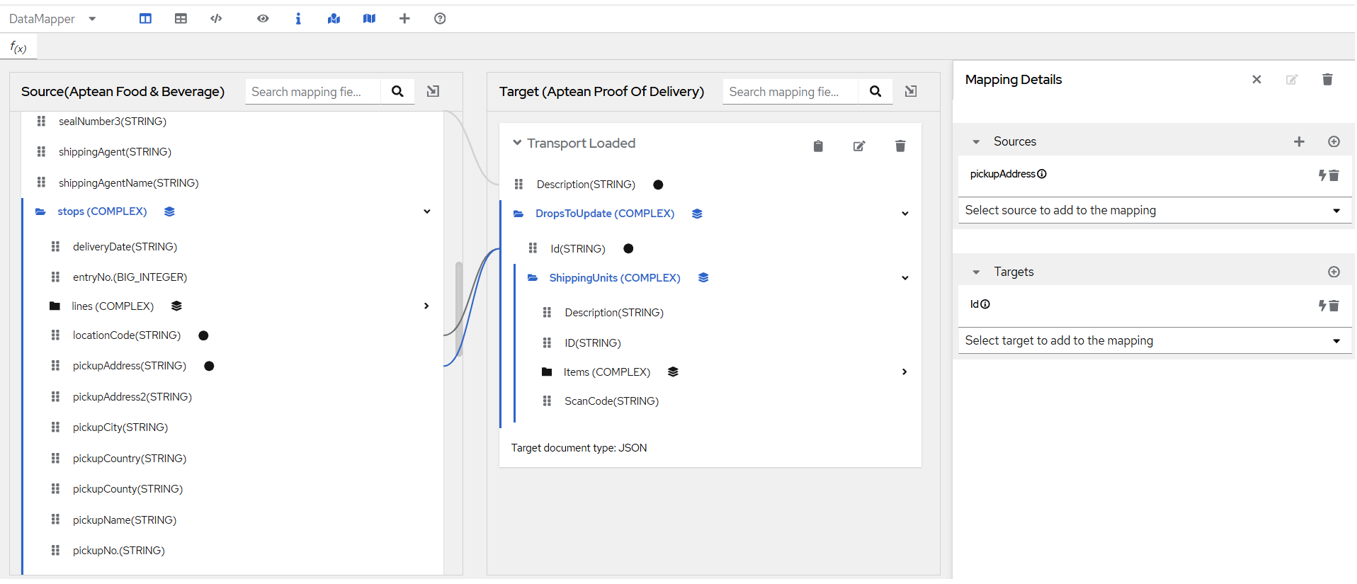
In this case, we're attempting to combine locationCode and pickupAddress, but the Data Mapper does not show any available operations for the source fields. Below is the preview using a sample payload:
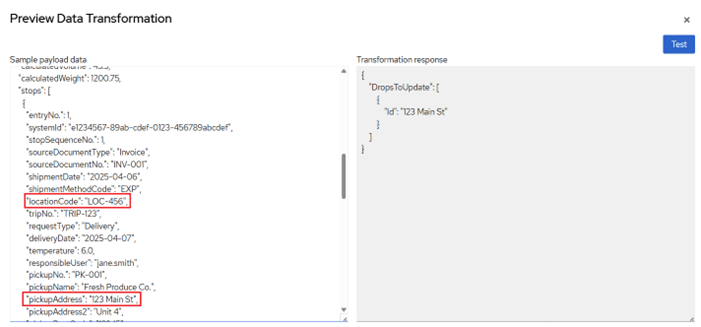
Here the data for Id in Transformation response is only picking from pickupAddress.
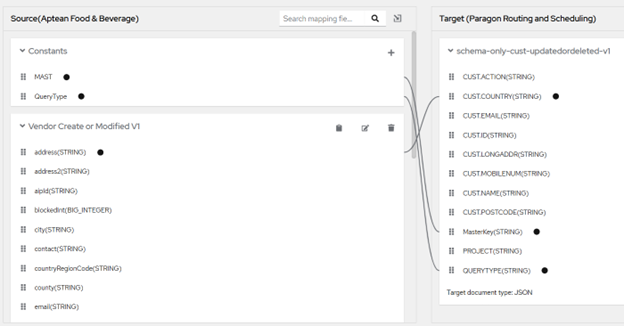
Lookup config – Value replacements are not functioning properly when the field names contain a dot (.)
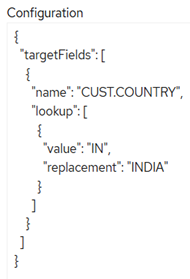
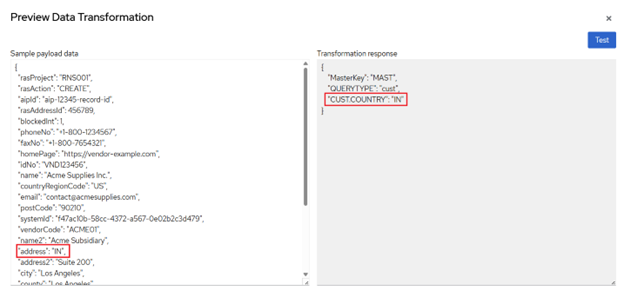
**Limitation – In the lookup configuration, we can define value replacements for specific fields. However, if a field name contains a dot (.), the replacement does not work as expected.
Working scenario -**
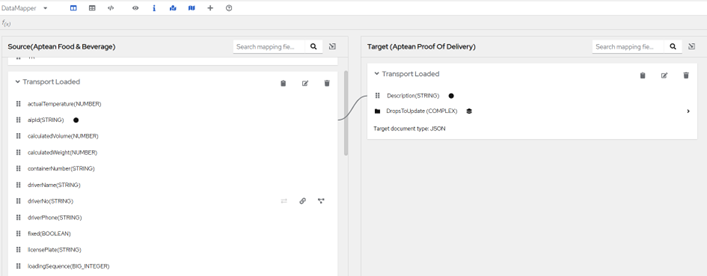
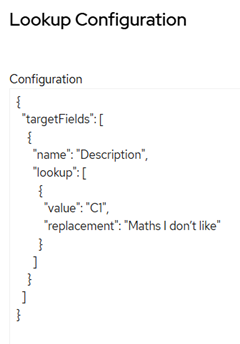
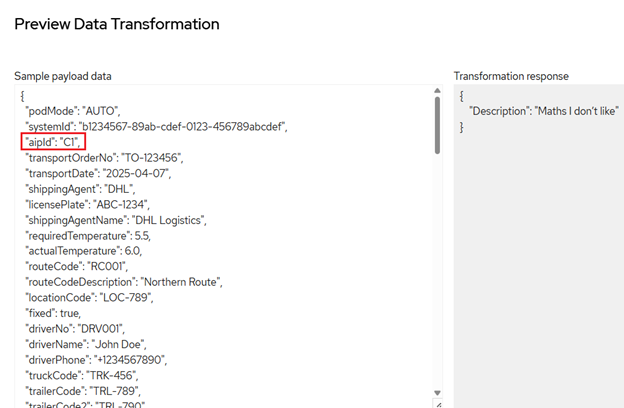
Scenario Where Replacement Fails -
Alternate approach for using Split functionality in Nested Strucutres
Limitation – Splitting a single source field into multiple target fields doesn't work correctly at nested level. As an alternative, we can achieve the same result using Sub String Before and Sub String After functions.
Example -
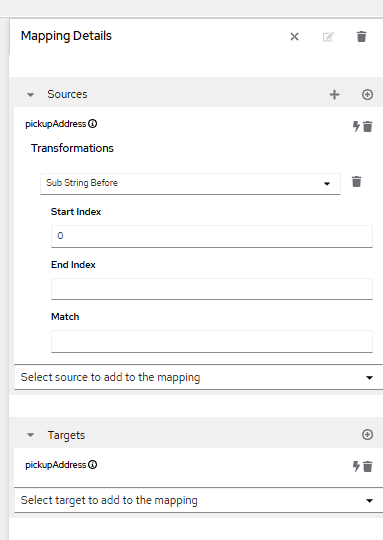
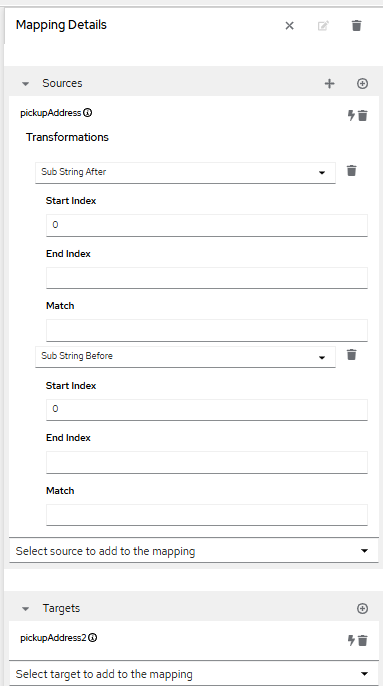
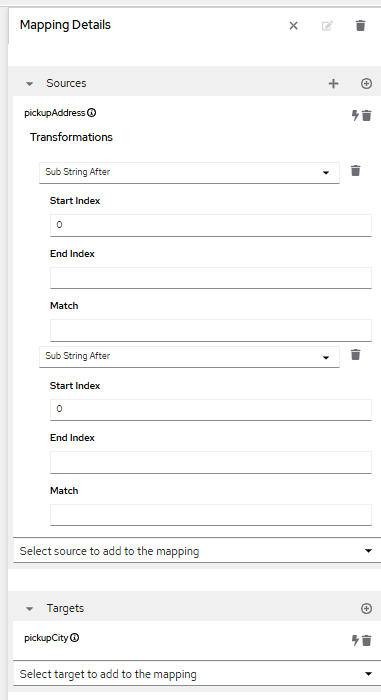
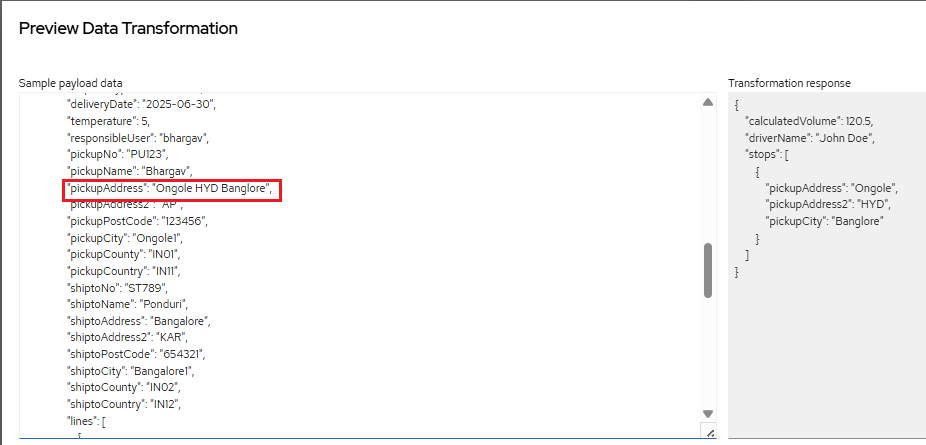
The pickupAddress from the source is split and mapped to pickupAddress, pickupAddress2, and pickupCity in the target.
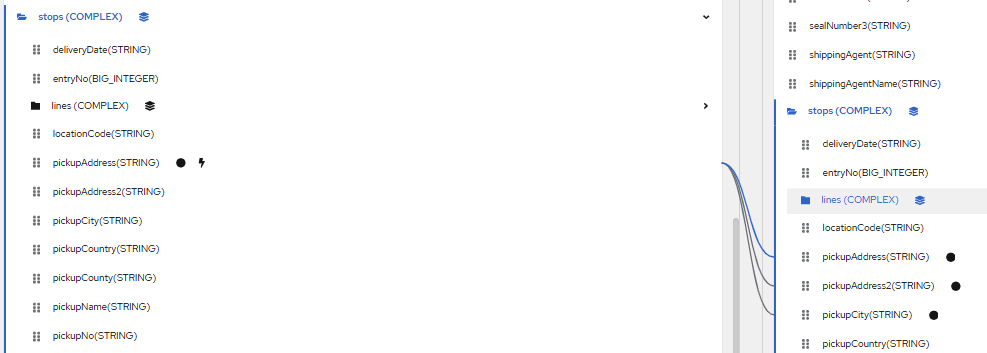
When using Sub String Before or Sub String After, set the Start Index to 0, leave the End Index empty, and use the Match as the separator (in this case, a space " ").
Mapping details for 1st target field -
Mapping details for 2nd target field -
Mapping details for 3rd target field -
Conditional expressions do not function correctly when used within nested collections of complex objects
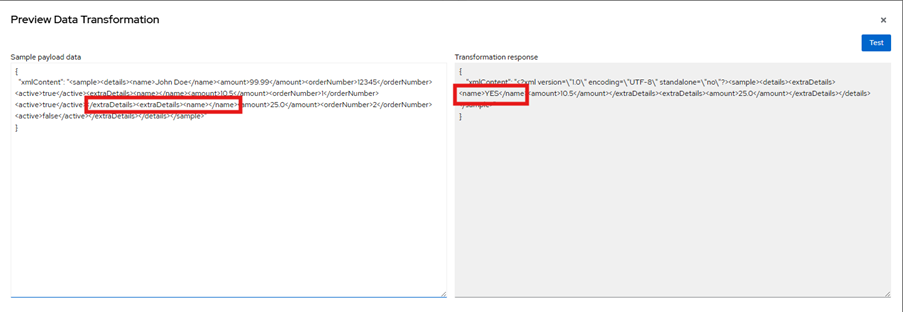
The issue arises when attempting to use conditional expressions within nested collections of complex objects, as demonstrated in the following example: We are trying to apply a conditional expression where, if the source field value is empty, the target should return 'NO'; otherwise, it should return 'YES'. This condition has been applied to the source field 'name', which is located within nested collection of objects—similarly, the target field is also nested collection of objects.
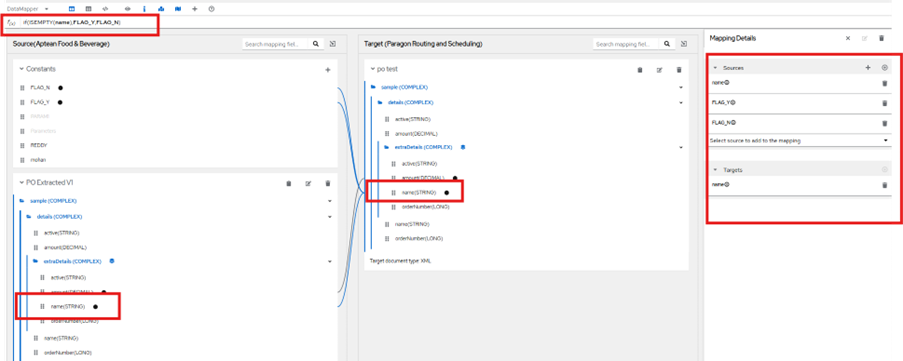
Click 'Save' and test the sample data using the Preview option to verify the results. The mapped field shows 'YES' because the source field 'name' contains a value in the payload.
Click 'Save' and test the sample data using the Preview option to verify the results. The mapped field shows 'YES' because the source field 'name' contains a value in the payload.
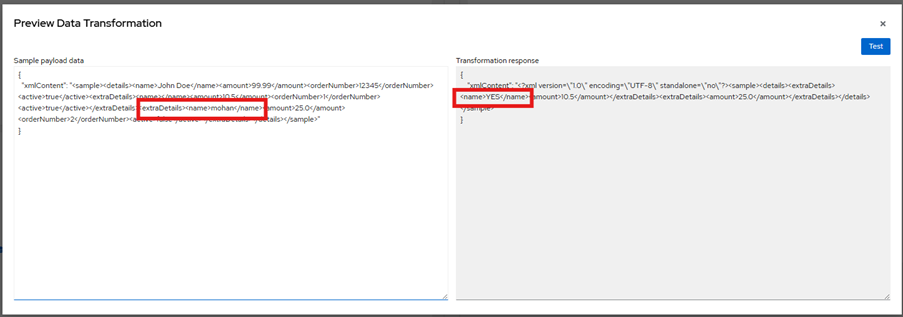
We tested the scenario where the 'name' field is empty, expecting it to return 'NO', but the condition is not functioning as expected.